
Your purchases should sync automatically as long as you're connected to the same Apple ID. However, if you find you're missing your purchased Towers or Heroes, please follow these steps:
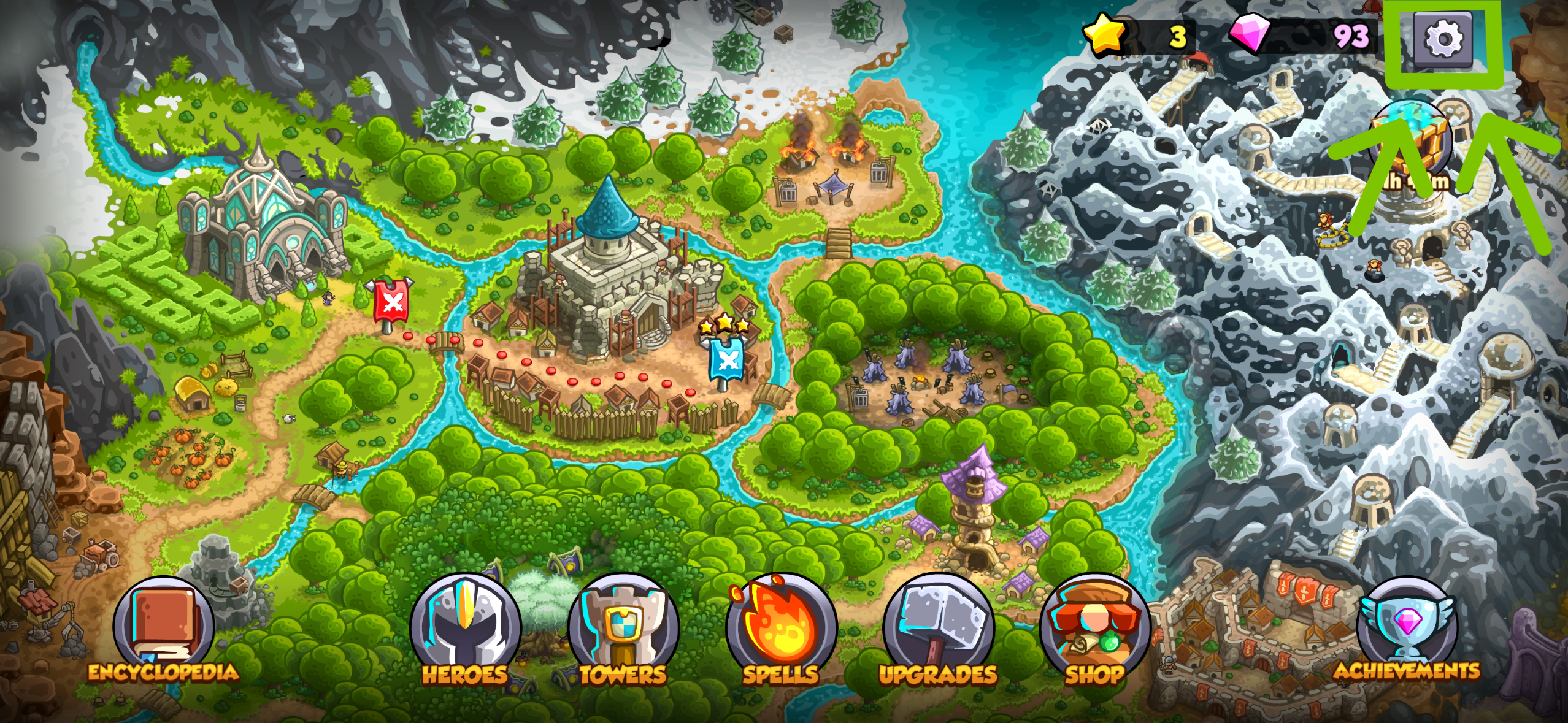
Go to the game’s map and tap on Settings:
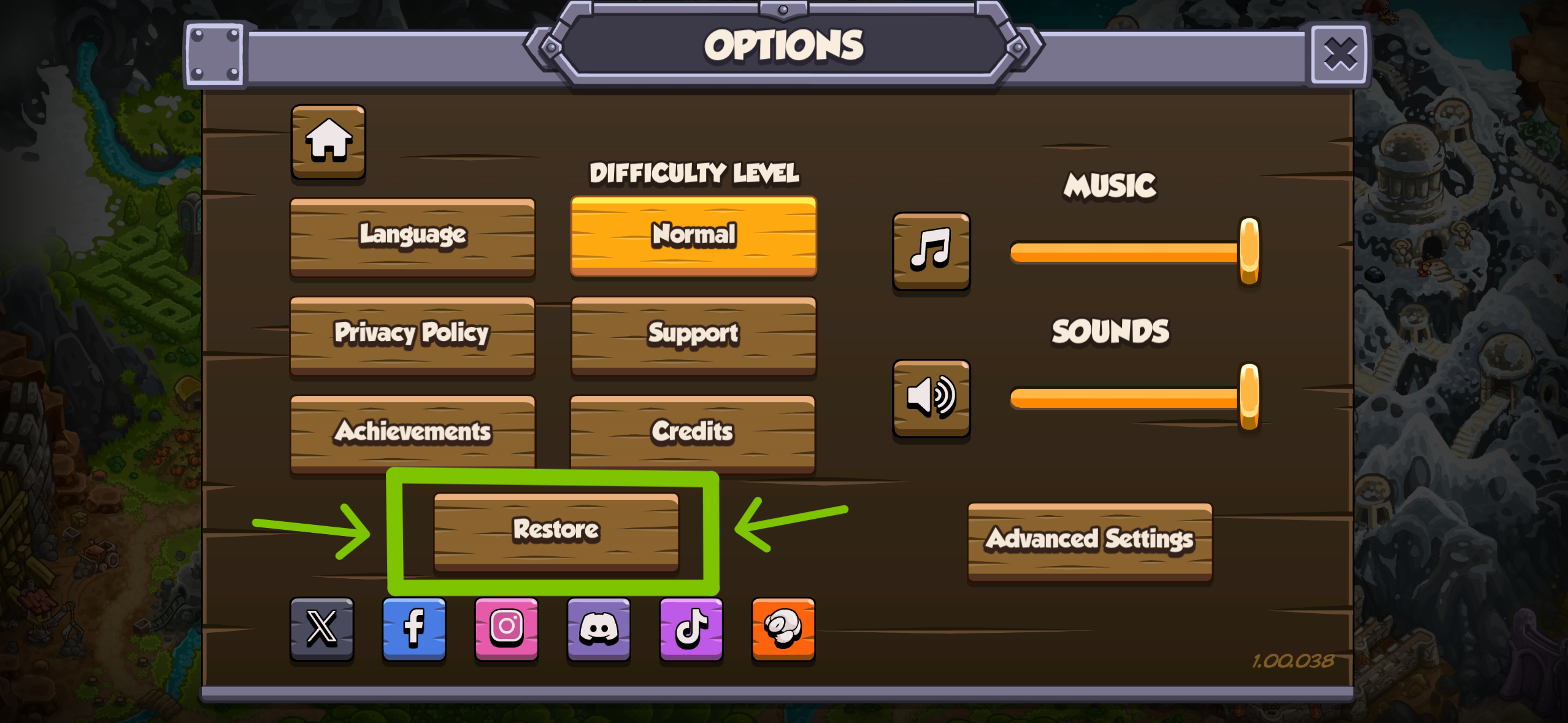
Then, select “Restore”, this way, you should obtain your past purchases again.
If the problem persists after these steps, please send a ticket to our Support Team with a screenshot of your purchase invoice. We'll send you a code to restore your purchase as soon as we get it!